.avif)
TL; DR
- The top 5 Salesflare alternatives in 2026: Pipedrive (deeper reporting), Close (phone-heavy teams), HubSpot (all-in-one, free tier), Capsule (cheap and simple), and SalesRobot (fills the CRM instead of replacing it).
- Salesflare is genuinely good — 4.8/5 on G2 from 300 reviews — but reviewers name limited reporting and customization repeatedly ("missing features" shows up in 11 separate reviews).
- Here's the insight every other list misses: most teams leaving Salesflare have a pipeline generation problem, not a pipeline organization problem. A new CRM shelf doesn't fill itself.
- Choose Pipedrive for deeper visual pipelines; choose Close if your team lives on the phone — then pair either with SalesRobot to generate the conversations they'll organize.
👉 Skip the manual prospecting: SalesRobot fills whichever CRM you pick with warm replies at a 55% average reply rate — try free for 14 days.
In this blog, we’ll cover-
- What you need to know about Salesflare
- Salesflare pricing
- 5 alternatives to Salesflare
- Frequently asked questions
Still Paying Per Seat For A CRM That Just Sits There?

Do the math on Salesflare Pro for a second. Five people, $64 each, every month. That's $3,840 a year for a place to store leads.

That's totally fine — if leads are actually flowing in.
But if you're Googling "Salesflare alternatives," odds are the real problem isn't the CRM at all. It's that the CRM is quietly, embarrassingly empty.
Most alternatives lists will hand you eleven other CRMs and call it a day. Swap one shelf for another, same empty shelf.
We're going to do it differently. Below are five genuine alternatives: four CRMs for different buyers, plus one honest curveball.
Because if your pipeline is thin, the answer might not be a better CRM shelf. It might be a tool that fills it. We'll get to that.
Salesflare: What You Need To Know Before You Switch
Before you rage-cancel, let's be fair.
Salesflare is a legitimately good SMB CRM, and here's the honest picture: the good and the annoying, woven together.
- ✅ Automated data capture that actually works: Salesflare pulls contact info from email signatures, social profiles, and email history automatically. No manual data entry, which is exactly why small teams love it.

- ⚠️ Reporting feels basic once you scale: G2 reviewers consistently note dashboards and reporting feel thin next to larger CRMs. "Missing features" appears in 11 separate reviews, with limited customization the recurring gripe.

- ✅ 4.8/5 on G2 from 300 reviews: That's one of the highest user ratings of any SMB CRM. People who use it genuinely like it.

- ⚠️ Per-seat pricing compounds fast: A 5-person Pro team is $3,840/year, and every new hire tacks on another $768. Growth becomes a line-item you notice.

- ✅ Clean native email integration: Gmail and Outlook sync smoothly, and Pro-tier and up include built-in email campaign tools.
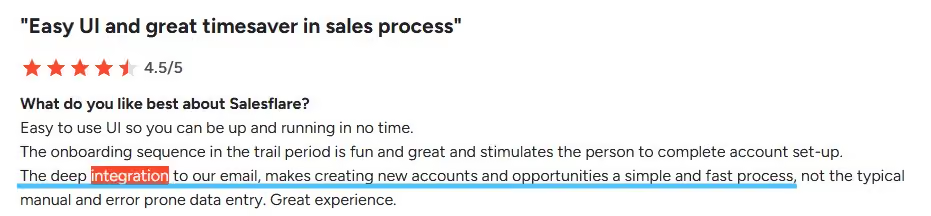
- ⚠️ Lead-credit ceiling kills prospecting at volume: The Growth plan includes just 5 lead credits per month. If you're doing any real prospecting, that's gone before lunch on Monday.

Salesflare's Key Features, Broken Down
If you're going to leave, you should know exactly what you're trading up from. Here's what Salesflare does well, feature by feature.
Automated Contact & Company Enrichment

Salesflare pulls profile data from email, LinkedIn, and company databases the moment a contact enters your world.
For example: email a new prospect once, and Salesflare quietly populates their job title, company size, LinkedIn URL, and phone number — without you typing a thing.
Visual Sales Pipeline

A drag-and-drop, Kanban-style pipeline with deal-stage tracking so nothing gets lost.
For example: you can see every open deal color-coded by stage and last-activity date in a single glance, then drag a deal forward when it moves.
Email Sequences & Tracking
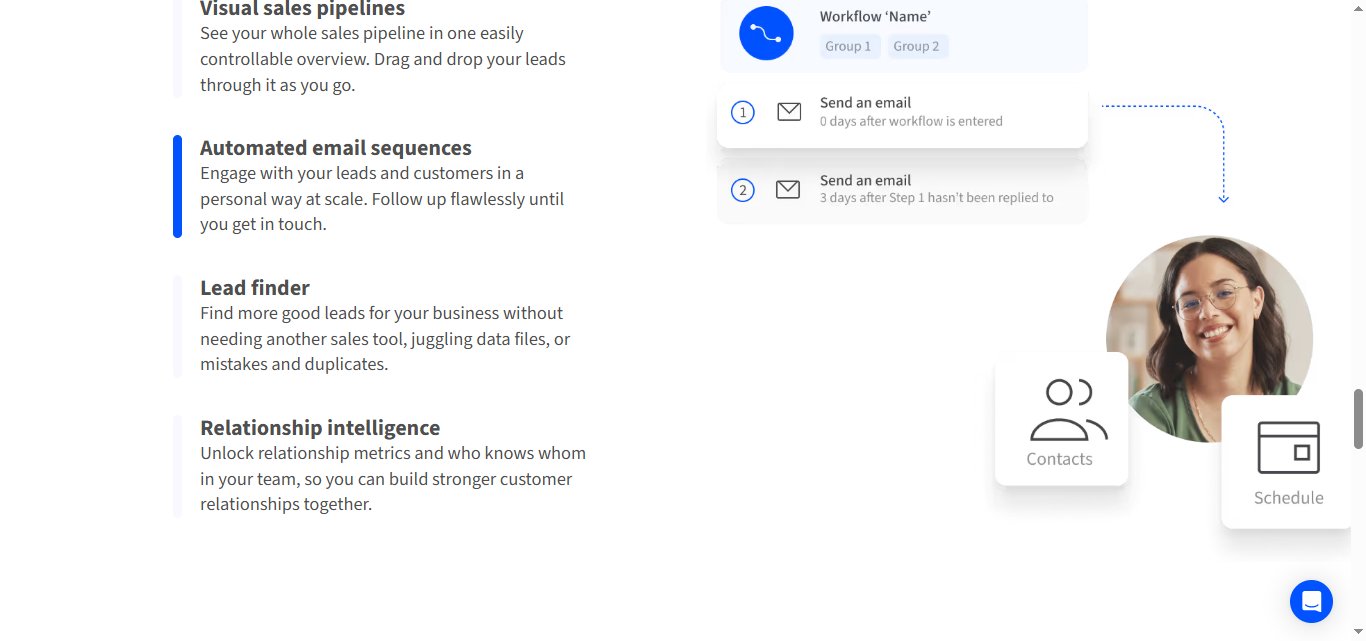
Built-in drip campaigns with open and click tracking on the paid tiers.
For example: set a 3-step follow-up sequence on a new deal, and Salesflare pauses it automatically the second the prospect replies — no awkward "just following up" after they've already said yes.
Suggested Tasks & Account Reminders

AI-suggested to-dos based on deal inactivity, so warm leads don't go cold on your watch.
For example: if a deal hasn't moved in 7 days, Salesflare surfaces a nudge to follow up before you forget it exists.
Salesflare Pricing: How Much Will It Cost?
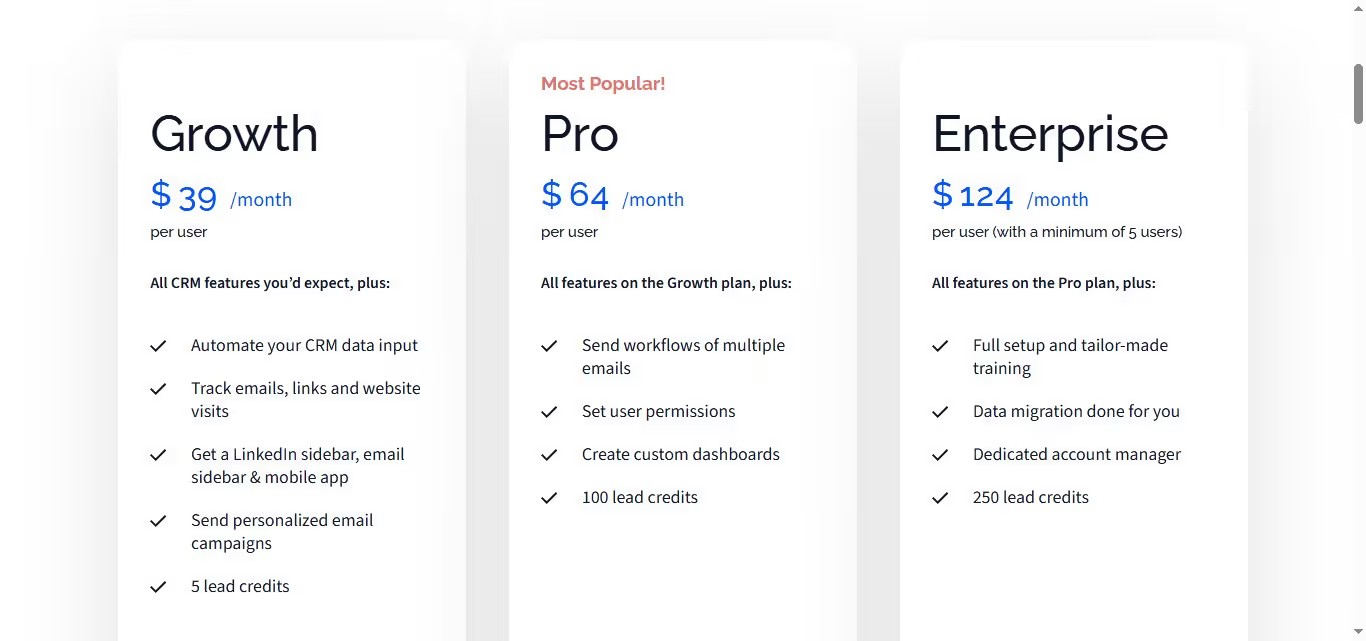
Salesflare runs three tiers, all priced per user, per month. The 5-lead-credit ceiling on Growth is usually the first thing that sends people looking for alternatives.
Growth — $39/user/mo
- 5 lead credits per month
- Email and link tracking
- Email campaigns
- Gmail and Outlook integration
- Basic visual pipeline
Best for: solo reps testing the waters.
Pro — $64/user/mo
- 100 lead credits per month
- Multi-step email workflows
- Custom dashboards
- User permissions
Best for: teams of 2–5 with some outbound volume.
Enterprise — $124/user/mo
- 250 lead credits per month
- Dedicated account manager
- Custom training
- Data migration assistance
Best for: larger teams that need hand-holding and compliance.
5 Alternatives To Salesflare: Which One Actually Fits?
Five tools, five genuinely different buyers. Don't pick the "best one" — pick the one that matches your actual problem.
1. SalesRobot
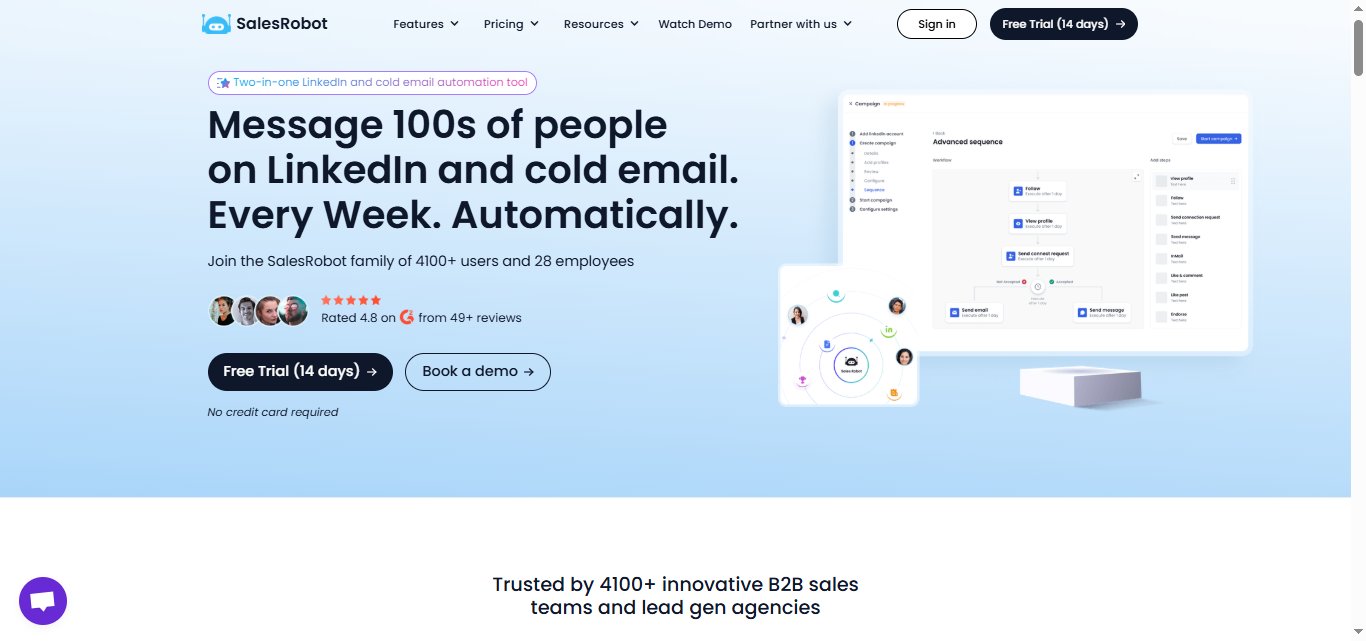
Most of the tools on this list are CRMs, but we've included SalesRobot because, in 2026, "leaving Salesflare" often isn't a CRM problem at all.
It's a pipeline problem. And a new shelf doesn't fill itself.
What it does: A LinkedIn and email outreach automation platform trusted by 5,000+ B2B sales teams.
It automates connection requests, multi-step message sequences (including voice and video messages), and follow-ups — then syncs every conversation directly into your CRM.
It also takes over your inbox and books meetings directly into your calendar.
Average users see a 55% reply rate, going up to 66%.
Stands out for: Native integrations with Pipedrive, HubSpot, Salesforce, and 20+ other CRMs via direct connectors and Zapier/webhooks.
When a prospect replies, their contact details and full conversation history auto-sync: no manual logging, no duplicate records.
Worth noting: This is not a CRM. It won't store deals, track pipeline stages, or replace Salesflare's contact database. Pair it with any of the four tools above — it fills them, it doesn't replace them.
- Starter: $59/mo
- Advanced: $79/mo
- Professional: $99/mo, flat and not per-seat.
Annual billing saves 35%. 14-day free trial, no credit card required.
Best if: Your CRM is organized, but your pipeline is thin: you need conversations, not just a better shelf to put them on.
2. Pipedrive

What it does: Pipedrive is a visual pipeline CRM with deeper reporting, AI-suggested actions, and stronger customization than Salesflare, the natural upgrade for teams outgrowing the basics.
Stands out for: Reporting and forecasting at the mid-tier level, which is the exact weakness Salesflare reviewers name most often.
Worth noting: No built-in calling or marketing automation. You'll be bolting on integrations — and paying for them — if you need either.
Pricing:.
- Lite: US$19 per seat per month (billed monthly)
- Growth: US$34 per seat per month (billed monthly)
- Premium: US$64 per seat per month (billed monthly)
- Ultimate: US$89 per seat per month (billed monthly)
Best if: You want more reporting depth and pipeline visibility without HubSpot's complexity. And when you're ready to add outreach volume, SalesRobot syncs directly into Pipedrive so replies land in your CRM automatically.
3. Close

What it does: Close is a CRM with built-in calling, SMS, and email, purpose-built for outbound reps who spend their day on the phone.
Stands out for: Its native dialer with Call Assistant and power/predictive dialing. No switching tabs between your CRM and a separate phone app.
Worth noting: Premium phone numbers add $19/line/mo, and Call Assistant runs $50/mo plus $0.02/minute. For a 5-person team, expect $50–$300/month in calling credits on top of seat costs.
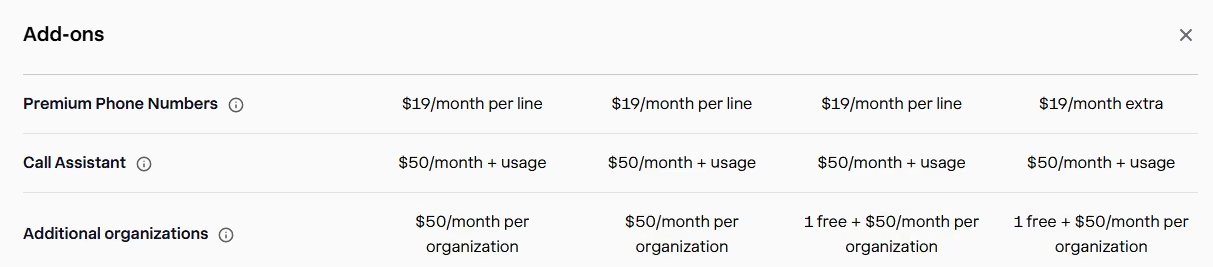
- Solo: $19 per user/month
- Essentials: $49 per user/month
- Growth: $109 per user/month
- Scale: $149 per user/month
Best if: Your team's primary outreach channel is the phone and you want calling baked in, not bolted on.
4. HubSpot CRM
What it does: HubSpot CRM is full sales, marketing, and service suite. The free CRM covers contacts, deals, and tasks; paid tiers add sequences, forecasting, and marketing automation.
Stands out for: A genuinely usable all-in-one scope that covers multiple features.
Worth noting: The all-in-one scope creates a real learning curve for teams that just want a simple sales tool, and paid tiers scale steeply once you need sequences or reporting.
- Professional: $50/mo/seat
- Enterprise: Starts at $75/mo/seat
Best if: You want CRM plus marketing automation on one platform and need a free starting point before committing budget.
SalesRobot integrates natively with HubSpot too, so conversation history syncs across without manual logging.
5. Capsule
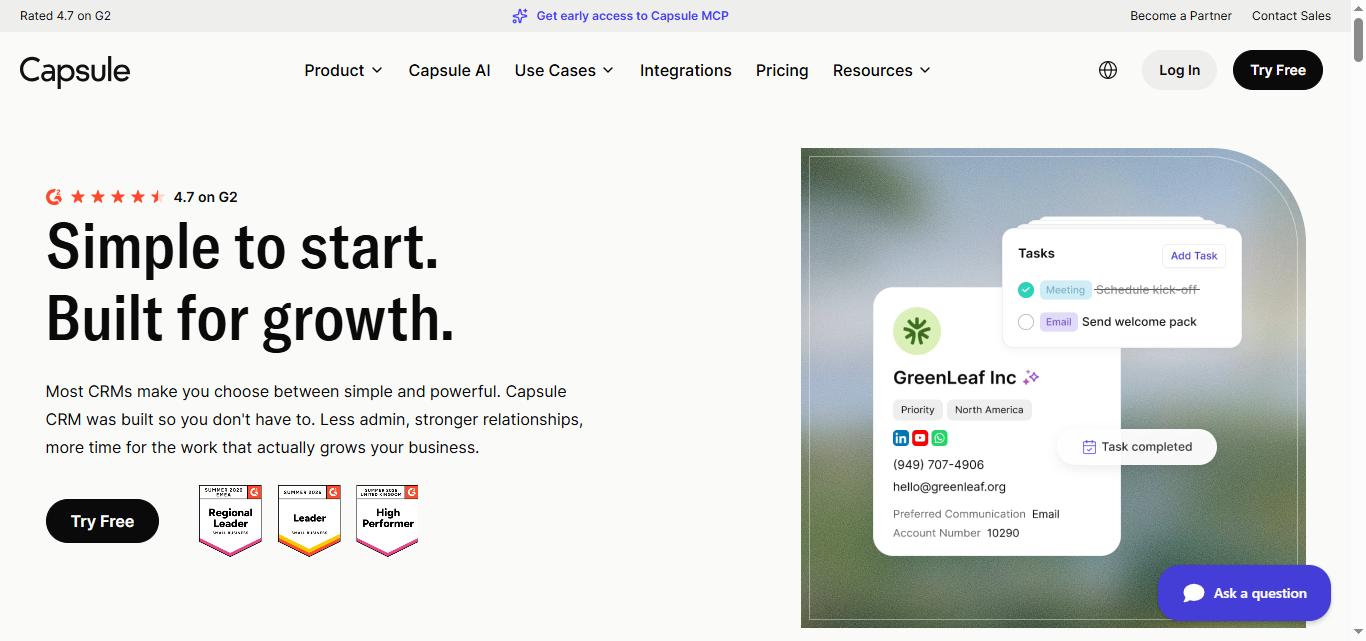
What it does: Capsule is best for simple contact and pipeline management: it tracks relationships, tasks, deals, and basic activity history, and nothing you don't need.
Stands out for: The lowest-priced entry point of the group at $18/user/mo (if you pay annually).
Worth noting: It won't win any AI-feature comparisons. Need predictive lead scoring, advanced sequences, or deep reporting? Look elsewhere. But it does the basics well at a fair price.
- Starter: $18/user/mo
- Growth: $36 per user/mo.
- Advanced: $54 per user/mo.
Best if: You're a small team under 5 people who needs CRM basics without complexity or budget pressure.
Frequently Asked Questions
Is Salesflare worth it?
For small B2B teams that value automated data capture and clean email integration, yes — Salesflare earns its 4.8/5 on G2 from 300 reviews.
It becomes less worth it as you scale, since per-seat pricing compounds and reviewers repeatedly flag limited reporting and customization.
What is the best alternative to Salesflare?
It depends on your problem. Pick Pipedrive for deeper reporting and pipeline visibility, Close if your team is phone-heavy, HubSpot for an all-in-one suite with a free tier, or Capsule for cheap simplicity. If your pipeline is thin rather than disorganized, pair a CRM with SalesRobot for outreach.
Can Salesflare alternatives handle email outreach?
Yes. Several tools focus on outreach rather than storage. SalesRobot runs multi-step email and LinkedIn sequences with a 55% average reply rate, and syncs replies into your CRM. HubSpot and Pipedrive include email sequences on their paid tiers, and Close bakes email into its outbound-focused dialer.
How much does Salesflare cost?
Salesflare offers three per-user tiers: Growth at $39/month (which includes 5 lead credits, email campaigns, and tracking), Pro at $64/month (adding 100 lead credits, custom dashboards, and multi-step email workflows), and Enterprise at $124/month (providing 250 lead credits, a dedicated account manager, and data migration assistance). Costs scale per seat, so a 5-person Pro team would pay $320 per month, totaling $3,840 per year.
Why look for a Salesflare alternative?
The two most common reasons: per-seat pricing that compounds with every hire, and reporting or customization that feels basic at scale — a complaint appearing in 11 separate G2 reviews. A third, quieter reason is lead volume: Salesflare's Growth plan includes just 5 lead credits per month.
Wrapping Up: Pick The Fit, Not The Hype
Here's the honest takeaway.
Salesflare is a good CRM — the ratings prove it.
But if you're shopping alternatives, first figure out whether your problem is the tool or the pipeline feeding it.
If it's the tool: choose Pipedrive for reporting depth, Close for phone-heavy outbound, HubSpot for an all-in-one free start, or Capsule for cheap simplicity.
Reality check: none of those four will put a single new lead in your pipeline. They organize what you already have.
That's the gap SalesRobot fills.
Instead of paying per seat for a shelf, you pay $59/month flat to run safe LinkedIn and email sequences that land a 55% average reply rate — and every reply syncs straight into Pipedrive, HubSpot, or Salesforce automatically.
One of our agency customers, The Growth Agency, hit a 66% reply rate running it as their core outreach engine.
Keep your CRM. Just stop letting it sit empty.
👉 Fill whichever CRM you pick with warm conversations: SalesRobot runs the outreach so you don't have to — try it free for 14 days, no credit card required.

Wow your leads by cloning yourself and sending personalized videos and voice notes to each lead on LinkedIn.
If you don't reply to leads within 5 mins, your chances of converting them fall by 50%. Our AI replies on your behalf instantly! (and yes, you can train it)

Don't shoot in the dark. Get detailed analytics on what's working

SalesRobot allows you to invite other team members, so that they can add their LinkedIn Account, run outreach campaigns and get amazing results just like you.
.avif)


Trusted by 4100+ innovative B2B sales teams and lead gen agencies

.avif)

.avif)




.avif)


Heading 1
Heading 2
Heading 3
Heading 4
Heading 5
Heading 6
Lorem ipsum dolor sit amet, consectetur adipiscing elit, sed do eiusmod tempor incididunt ut labore et dolore magna aliqua. Ut enim ad minim veniam, quis nostrud exercitation ullamco laboris nisi ut aliquip ex ea commodo consequat. Duis aute irure dolor in reprehenderit in voluptate velit esse cillum dolore eu fugiat nulla pariatur.
Block quote
Ordered list
- Item 1
- Item 2
- Item 3
Unordered list
- Item A
- Item B
- Item C
Bold text
Emphasis

Superscript
Subscript